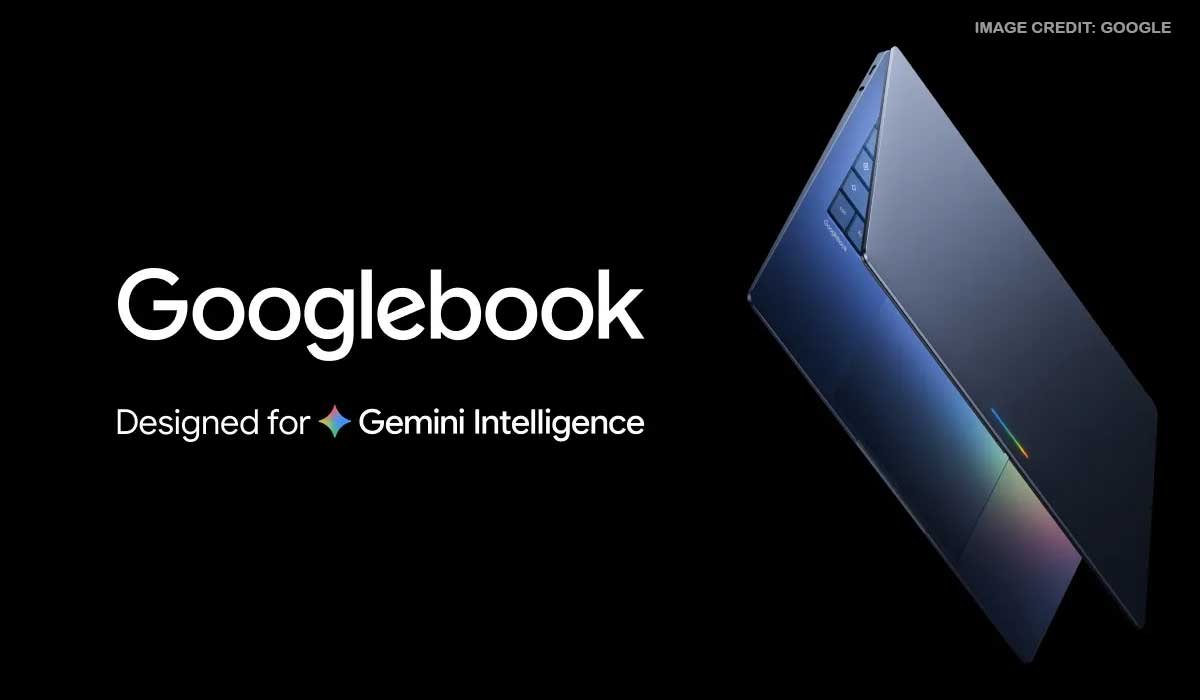
Google is taking a fresh approach to the laptop with the introduction of Googlebook, a new laptop experience designed to bring Android phones, desktop computing and artificial intelligence closer together.
Announced by Google in September 2026, Googlebook is built around a simple idea: people should be able to move between their smartphone and laptop without feeling like they are switching between two completely separate devices.
From continuing tasks started on an Android phone to accessing phone files, using Android apps on a larger screen and getting help from Gemini, Google is putting its mobile ecosystem at the centre of the new laptop experience.
Related Post
What Is Googlebook?
Googlebook is Google’s new laptop platform, combining the Android technology stack with the desktop experience associated with ChromeOS.
Rather than treating the smartphone and laptop as separate products, Google is designing Googlebook to connect the two.
This could be useful for people who already depend heavily on an Android smartphone for communication, work, entertainment, photography and everyday tasks.
The first Googlebook devices are being introduced through major laptop manufacturers including Acer, ASUS, Dell, HP and Lenovo.
Google says the new laptops will offer different hardware configurations, allowing manufacturers to create their own Googlebook devices while following the platform’s overall experience.
Your Android Phone Becomes Part of the Laptop
One of the most important aspects of Googlebook is its relationship with Android phones.
For many users, the phone is already the device they use most throughout the day. They take photos, receive messages, save documents, browse websites and use dozens of apps before ever opening a laptop.
Googlebook is designed to make moving from that phone experience to a larger screen easier.
During setup, compatible Android phones can transfer information such as settings, saved passwords, Wi-Fi networks and messages to the new laptop.
Google also says the transfer is protected with end-to-end encryption.
Continue What You Started on Your Phone
Imagine starting something on your phone while travelling and wanting to finish it when you sit down at your laptop.
Googlebook introduces Continue On, a feature designed for exactly this type of situation.
The feature allows users to continue certain activities from their Android phone on their Googlebook.
This could make everyday tasks feel more connected, particularly for people who regularly move between a phone and computer during the day.
Instead of searching for the same webpage, application or piece of information again, the aim is to make the transition more straightforward.
Access Phone Files From Your Laptop
Moving photographs and documents between a smartphone and computer can sometimes be an unnecessary extra step.
Googlebook is designed to reduce that process by making compatible phone files and photos accessible through the laptop’s Files application.
For students, professionals, business owners and content creators, this could be particularly useful.
A photograph taken on an Android phone, for example, could become available as part of the laptop workflow without requiring users to repeatedly email files to themselves or use separate transfer services.
Android Apps on a Bigger Screen
Google is also bringing Android applications into the Googlebook experience.
With Cast My Apps, users can stream and interact with compatible Android phone applications from a desktop window.
This means a phone application that is not traditionally available as a full desktop application could potentially be used from the laptop screen.
For someone working on a document while needing to check an Android application, this could reduce the need to constantly pick up their phone.
The feature also reflects Google’s wider goal of making Android a more natural part of the desktop environment.
Gemini Takes a Bigger Role
Artificial intelligence is another major part of Google’s Googlebook strategy.
The company is integrating Gemini into the laptop experience, giving users AI-powered tools for writing, organising information and interacting with content on their screen.
One of the features Google is highlighting is Magic Pointer.
The tool is designed to bring Gemini into the context of what users are viewing on their screen. Users can then ask Gemini for assistance with tasks such as understanding or organising information.
For people who already use generative AI for work and study, bringing these capabilities closer to the desktop could make AI assistance feel more like part of the operating system rather than a separate website or application.
Turning Voice Into Organised Ideas
Another Googlebook feature is Rambler, which focuses on turning spoken thoughts into structured content.
Instead of stopping to organise every idea while taking notes, users can speak naturally and have the system help turn those thoughts into a more organised format.
Google says Rambler can create elements such as headings and checklists and can work across multiple languages.
This could be useful for students preparing notes, professionals brainstorming ideas or anyone who prefers speaking rather than typing their first draft.
Build Your Own Desktop Widget
Googlebook also introduces Create My Widget.
The feature allows users to describe the type of widget they want using natural language.
The system can then create a customised widget based on that description.
For everyday users, this could make small personalised desktop tools easier to create without having to understand traditional programming.
It is another example of Google using AI to reduce the technical barrier between an idea and a working digital tool.
Googlebook Is Not Just About AI
Although Gemini is a major part of the announcement, Googlebook is still intended to function as a conventional computer.
Users can access the desktop version of Chrome, including browser extensions, while the Google Play Store provides access to Android applications.
Google is also highlighting compatibility with popular creative applications including Adobe Photoshop, Adobe Lightroom and CapCut.
That means the company is positioning Googlebook for more than basic browsing and document work.
Gaming and Entertainment
Googlebook also has a role beyond productivity.
Android applications and games can be used on the platform, while Google says users can access streaming entertainment services.
The company is also including a complimentary year of GeForce NOW with each Googlebook purchase, subject to the applicable terms.
This gives the new laptop a stronger entertainment and gaming angle alongside its productivity features.
Premium Laptop Designs
Google is working with several established laptop manufacturers for the first Googlebook devices.
The company says models will use materials such as aluminium, magnesium alloy and carbon fibre.
Depending on the model, specifications can include displays of up to 2.8K OLED resolution, haptic glass trackpads and backlit keyboards.
Google also says some configurations can deliver up to 14 hours of battery life.
The exact specifications will vary between manufacturers and models.
A Laptop With a Glowbar
One of the more unusual design elements is Google’s Glowbar.
The light bar can provide visual feedback during startup, show battery information and respond with animations when users interact with Gemini.
It gives Googlebook a recognisable visual feature and adds a more interactive element to the laptop’s physical design.
Designed With Security in Mind
Security is another area Google is emphasising.
Googlebook uses security technology derived from ChromeOS, including Google’s Titan hardware root of trust and a layered security approach.
Google also says the platform includes on-device malware detection.
For users who work with sensitive documents, accounts and online services, security will naturally be an important consideration when choosing a new computer.
A Separate Linux Environment for Developers
Googlebook is also being positioned as a computer for developers.
Google says the platform includes a Linux terminal environment and its Antigravity development platform.
The company is also highlighting a security-certified pKVM hypervisor that supports an isolated Linux environment.
This could make Googlebook relevant not only to everyday consumers but also to developers who want access to Linux-based tools while maintaining separation from the main system.
Googlebook Pricing and Launch
Google says Googlebook starts at US$899.
The company is also offering 12 months of Google AI Pro with eligible purchases, including 5TB of cloud storage and access to Google’s advanced Gemini capabilities.
Google says Googlebook OS will receive feature updates for up to 10 years.
The initial rollout includes the United States, Canada, the United Kingdom, Ireland, France, Germany and Australia.
The first devices are scheduled to begin arriving in October 2026, with the exact timing depending on the market.
New Zealand is not included in Google’s initial list of launch markets announced with the pre-order information, so local availability and pricing will need to be confirmed separately when Google expands the rollout.
What Could Googlebook Mean for Android Users?
Googlebook is an interesting development because Google is not simply presenting another laptop.
The company is trying to change the relationship between the smartphone and computer.
Android phones already hold a large amount of people’s everyday digital activity. A laptop that can access phone files, continue activities, run compatible Android applications and work with Gemini could make the two devices feel much more connected.
For students, professionals, small-business owners and creators, the ability to move information between phone and laptop with fewer steps could be useful.
At the same time, the success of Googlebook will depend on practical factors such as hardware pricing, application compatibility, battery performance, availability and how well these connected features work in everyday use.
Google’s Bigger Laptop Idea
For years, smartphones and laptops have increasingly become connected through cloud services and individual applications.
Googlebook takes that idea further by putting the Android ecosystem much closer to the centre of the laptop experience.
The concept is straightforward: your phone should not stop being useful when you open your laptop.
Whether Googlebook becomes a major new direction for personal computing will depend on how consumers respond once the devices reach more markets.
But the announcement shows that Google sees an opportunity to make the Android phone and laptop feel less like separate pieces of technology and more like two parts of the same digital experience.

FAQs
What is Googlebook?
Googlebook is Google's new laptop platform designed to combine Android integration, desktop computing and Gemini AI features.
Can Googlebook connect with an Android phone?
Yes. Googlebook includes features such as Continue On, phone file access and Cast My Apps to create a closer connection between compatible Android phones and the laptop.
How much does Googlebook cost?
Google has announced a starting price of US$899. Local prices may differ depending on the country, taxes and individual laptop configurations.
Which laptop companies are making Googlebook devices?
Google's initial Googlebook partners include Acer, ASUS, Dell, HP and Lenovo.
Is Googlebook available in New Zealand?
New Zealand was not included in Google's initial launch-market list announced with the September 2026 pre-order announcement. New Zealand availability and pricing will depend on Google's future rollout.
Disclaimer: Product specifications, pricing, availability and features may vary by market and device model. Information is based on Google’s published announcement at the time of writing.