
Instagram — the world’s leading visual social network owned by Meta — is taking a bold step beyond the smartphone screen. After debuting its TV-optimized app on Amazon Fire TV in late 2025, Instagram’s TV experience is now rolling out on Google TV devices across the United States.
This move signals Instagram’s growing ambition to expand beyond mobile and compete more directly in the living-room streaming space. With short-form video dominating digital consumption, bringing Reels to television could reshape how audiences experience social media content at home.
What Is Instagram’s TV App?
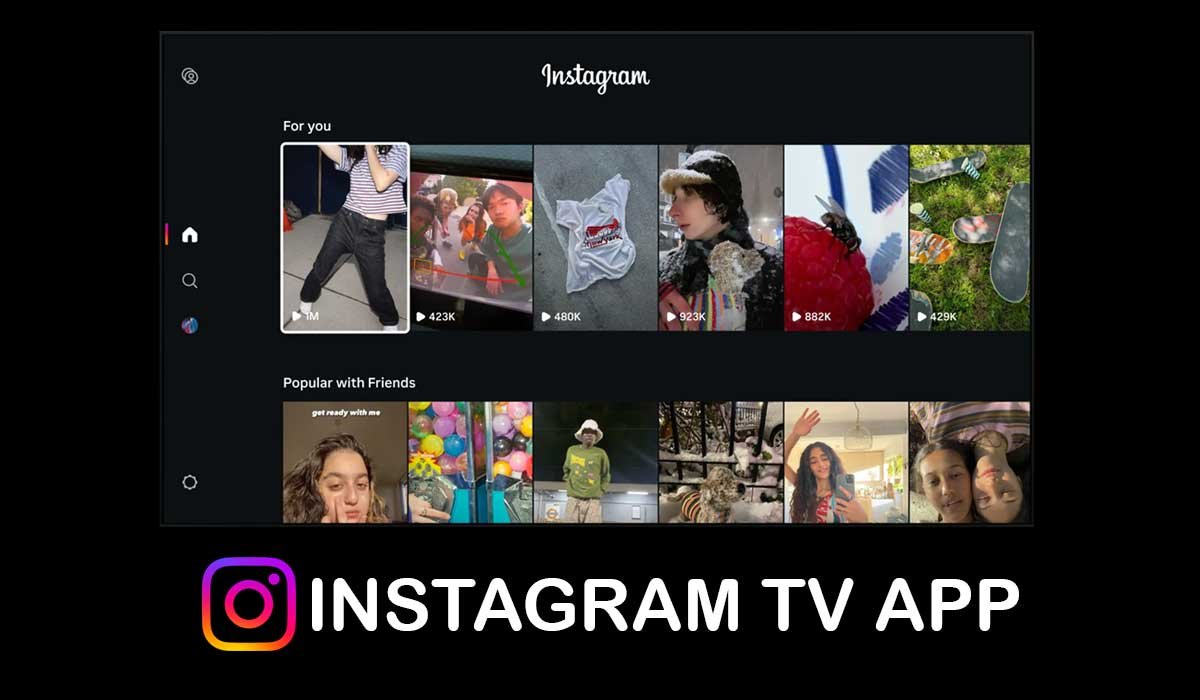
The new TV app is a version of Instagram designed specifically for large screens. Instead of endlessly scrolling on a smartphone, users can now watch Reels, explore posts, and browse curated content directly from their television.




Unlike simple screen mirroring, the app has been optimized for TV navigation. The interface works smoothly with a remote control, offering a lean-back experience that feels closer to a streaming service than a traditional social media feed.
Key Features of the Instagram TV Experience
Here’s what users can expect from the new big-screen experience:
Personalized Reel Channels
Reels are organized into interest-based channels such as comedy, travel, sports, lifestyle, food, and music. This allows viewers to explore content by category rather than manually searching or scrolling.
Continuous Autoplay
Just like streaming platforms, videos play automatically one after another. This creates a seamless viewing experience similar to watching a curated TV channel.
Interactive Features
Instagram keeps its core social DNA intact. Users can like, comment, and engage with content directly from the TV interface. While the experience is more relaxed, it still supports interaction — a key differentiator from traditional television.
Multi-Account Support
Households can link multiple Instagram accounts (up to five). This ensures personalized recommendations for different family members and allows flexibility for shared living spaces.
Feed Access on TV
Beyond Reels, users can also browse regular Instagram posts, including photos and carousel posts. The layout is adjusted to ensure clear visibility on larger displays.
How to Install Instagram on Google TV
Installing the app is straightforward:
- Open the Google Play Store on your Google TV device.
- Search for Instagram.
- Download and install the app.
- Log in by connecting your account via the Instagram mobile app or by entering your credentials.
The setup process is simple and designed to sync quickly with your existing account.
Why This Launch Is Significant
Instagram’s expansion to Google TV represents more than just a new app version. It reflects a broader shift in digital consumption patterns. Short-form video is no longer limited to smartphones. Audiences increasingly watch content together on larger screens, especially in family or social settings.
By entering the TV ecosystem, Instagram positions itself alongside established streaming and video platforms. This move could benefit creators by increasing exposure and potentially encouraging longer viewing sessions.
For advertisers, a television environment may also open up new monetization formats in the future. While Instagram hasn’t announced major advertising changes yet, the expansion lays groundwork for potential innovation in connected TV ads.
Current Availability
As of now, Instagram’s TV app is rolling out across Google TV devices in the United States. Broader international availability may follow depending on adoption rates and performance.
The app joins Instagram’s earlier expansion to Fire TV devices, showing a clear strategy to cover major smart TV ecosystems.
What This Means for the Future of Social Media
The launch highlights how social platforms are evolving into full-scale entertainment ecosystems. Instagram is no longer just a photo-sharing app; it is positioning itself as a multi-screen content destination.
As living-room viewing habits blend with social media consumption, platforms that adapt to larger screens may gain a competitive advantage. Instagram’s TV push could redefine how families and friends experience social video together.
Frequently Asked Questions (FAQs)
1. Is Instagram’s TV app free to use?
Yes, the app is free to download and use, just like the mobile version.
2. Can I watch Instagram Reels on Google TV?
Yes, Reels are a central feature of the TV app and are organized into themed channels for easy browsing.
3. Is the Instagram TV app available outside the US?
Currently, it is launching in the United States. International availability has not yet been confirmed.
4. Can multiple users log into the same TV?
Yes, up to five Instagram accounts can be linked to one device.
Disclaimer
This article is based on publicly available information at the time of writing. Features and availability may vary by region and device. Always refer to official platform announcements for the latest updates.
Technology Desk: Explore more technology stories, AI insights, and future-tech trends.