
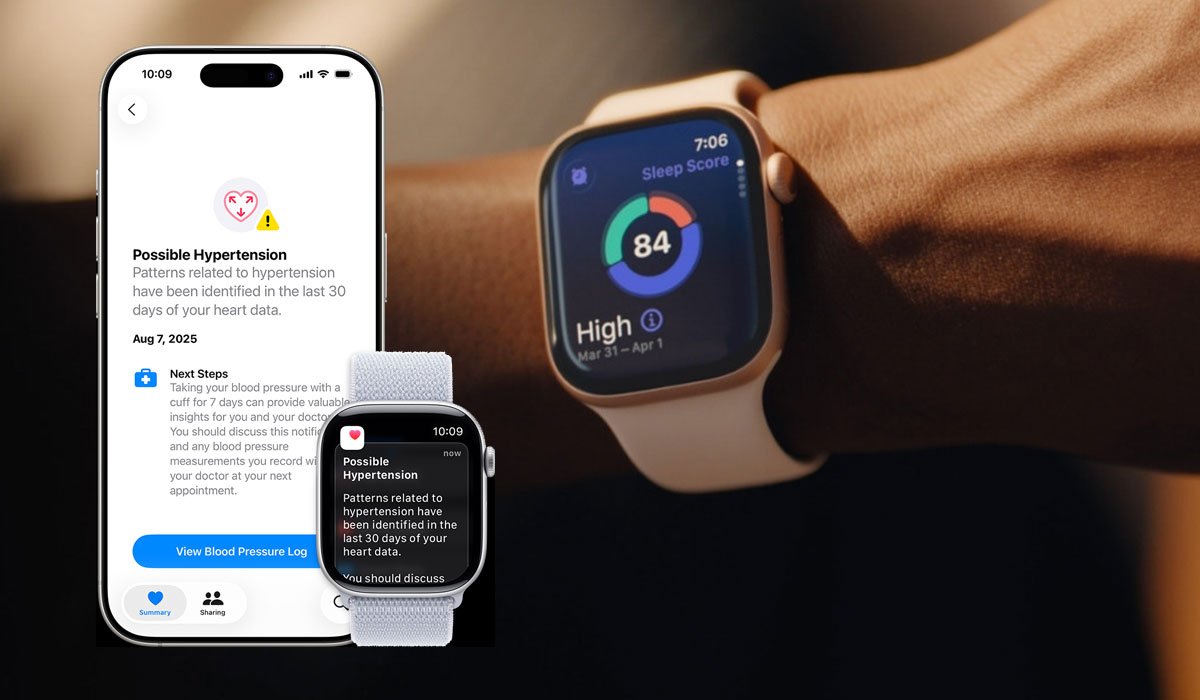
High blood pressure, or hypertension, is a silent condition that can affect your heart, blood vessels, and overall health. Thanks to technology, monitoring your heart has never been easier. Apple Watch now offers a Hypertension Notifications feature that can alert you to potential hypertension patterns using data from your watch’s optical heart sensor.
What Are Hypertension Notifications?
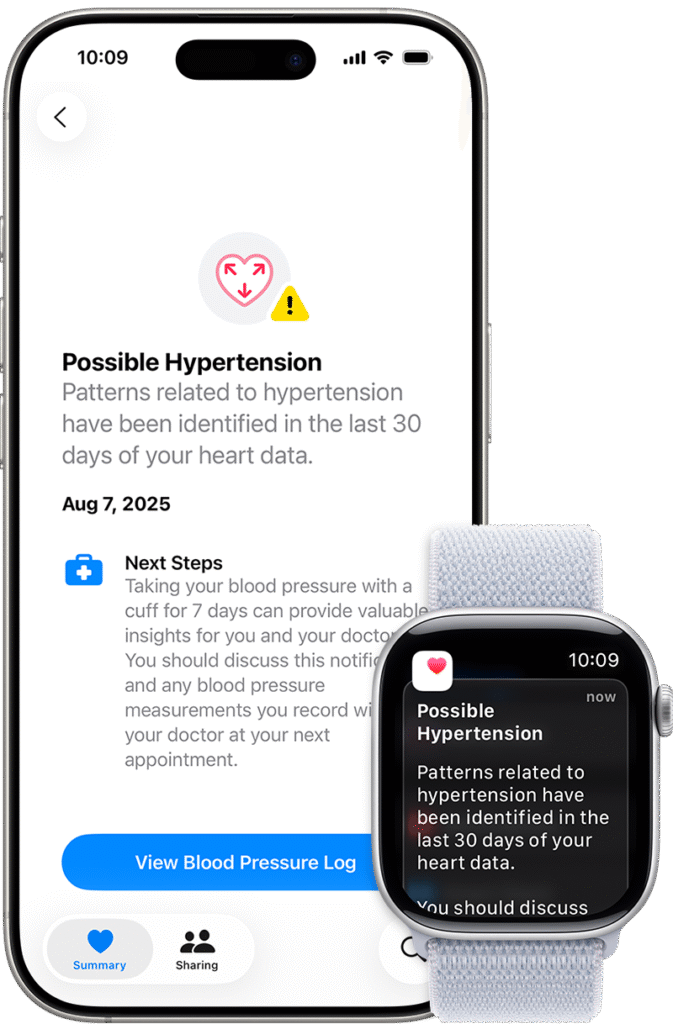
The Hypertension Notifications feature tracks your heart data over 30-day periods. If your Apple Watch detects patterns that may indicate high blood pressure, it will send a notification, allowing you to take proactive steps toward your heart health.
Requirements to Enable Hypertension Notifications
To use this feature, you’ll need:
Related Post




- Apple Watch Series 9, Ultra 2, or later running the latest watchOS.
- iPhone 11 or later with the latest iOS.
- Wrist Detection turned on.
- You must be 22 years or older, not pregnant, and not previously diagnosed with hypertension.
Note: Apple Watch SE does not support this feature.
How to Turn On Hypertension Notifications
- Open the Health app on your iPhone.
- Tap your profile icon in the top corner.
- Go to Health Checklist under Features.
- Tap Hypertension Notifications.
- Confirm your age and health status, then tap Continue.
- Follow the onscreen prompts to understand how notifications work.
- Tap Done to complete setup.
What to Do If You Receive a Notification
Receiving a hypertension notification does not mean you have a diagnosis. It indicates potential patterns that may require further attention. You should:
- Discuss the notification with your healthcare provider.
- Track your blood pressure using a third-party blood pressure cuff for at least seven days.
- Keep a Blood Pressure Log in the Health app.
Important Considerations
- The feature cannot diagnose or treat hypertension or other medical conditions.
- Not all individuals with hypertension will receive notifications.
- Apple Watch cannot detect heart attacks; seek emergency care for chest pain, pressure, or tightness.
- Active pregnancies prevent enabling this feature.
FAQs:
Can Apple Watch diagnose hypertension?
Hypertension Notifications only alert you to patterns that may suggest high blood pressure. A healthcare professional must confirm any diagnosis.
Which Apple Watch models support this feature?
Apple Watch Series 9, Apple Watch Ultra 2, or later. The Apple Watch SE is not supported.
How often does Apple Watch check for hypertension patterns?
The watch evaluates heart data over rolling 30-day periods to detect potential high blood pressure patterns.
Is this feature available worldwide?
No, availability depends on your country or region. Check Apple’s official site to confirm eligibility.
Disclaimer: This content is for informational purposes only and should not replace professional medical advice. Always consult a healthcare provider for diagnosis or treatment.
Technology Desk: Explore more technology stories, AI insights, and future-tech trends.